Python OpenCV를 이용한 라이즈 오브 킹덤즈 매크로(3)
그림의 아이콘부분들을 나누는 것까지 되었다면 이제 main 그림에서 같은 아이콘 찾기를 해야 한다.
icon 그림과 main의 그림을 보면 아이콘이 회전되어 있거나 색이 다른 것을 확인 할 수 있다. 아이콘을 찾기 위해서
feature matching 중 SIFT (Scale-Invariant Feature Transform)을 사용하였으며,
관련 내용은 https://docs.opencv.org/3.4/da/df5/tutorial_py_sift_intro.html에서 확인 할 수 있다.
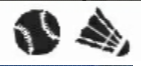

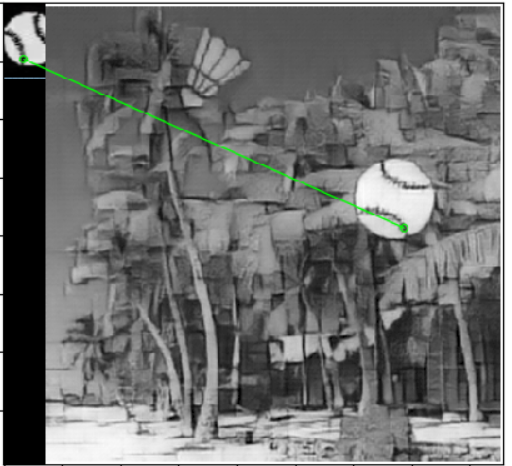
아이콘들의 영역들을 변수에 담은 후에 하나씩 이미지를 잘라서 feature matching을 하게 되면 아래의 그림처럼 나오게 된다.
 |
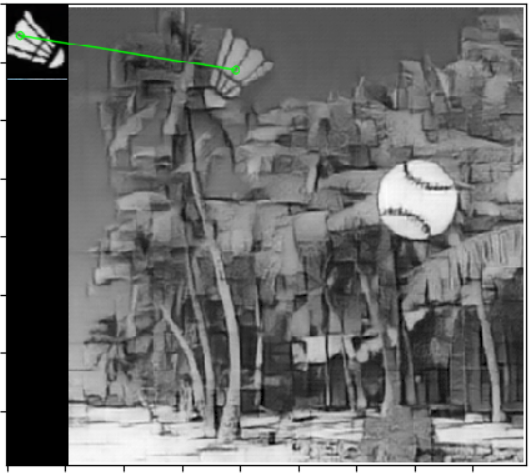 |
현재 정확하게 같은 좌표를 찾은 것을 확인 할 수있다.
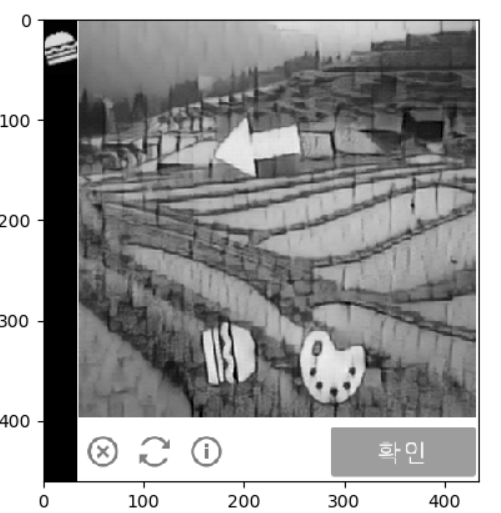
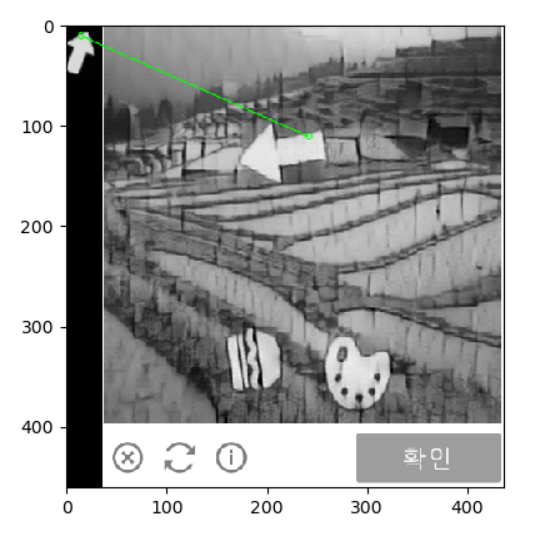
하지만 다른 사진으로 보게되면 feature matching이 완벽하지 않은 것을 확인 할 수 있다.
 |
 |
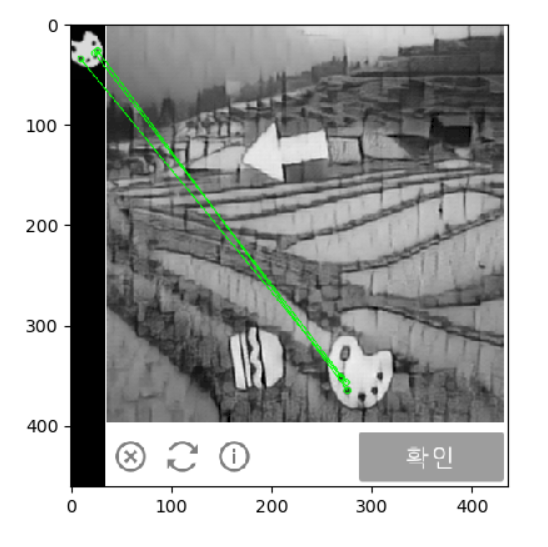 |
1번째 햄버거 아이콘은 매칭하지 못하는 것을 확인 할 수 있으며, 2번째 화살표는 잘못된 위치를 매칭하고 있는 것을 볼 수 있다. 조금 더 정확한 매칭을 위해선 이미지 전처리 과정이 필요하다.
sift 코드
def img_sift(img1,img2):
    # Initiate SIFT detector
    sift = cv2.xfeatures2d.SIFT_create()

    # find the keypoints and descriptors with SIFT
    kp1, des1 = sift.detectAndCompute(img1,None)
    kp2, des2 = sift.detectAndCompute(img2,None)

    # BFMatcher with default params
    bf = cv2.BFMatcher()
    matches = bf.knnMatch(des1,des2, k=2)
    # Need to draw only good matches, so create a mask
    matchesMask = [[0,0] for i in range(len(matches))]

    # ratio test as per Lowe's paper
    good = []

    for i,(m,n) in enumerate(matches):
        if m.distance < 0.7*n.distance:
            matchesMask[i]=[1,0]
            good.append(m)
    dst_pt = [ list(kp2[m.trainIdx].pt) for m in good ]
    print(dst_pt)
    #x_axis , y_axis = np.mean(dst_pt,axis = 0)


    draw_params = dict(matchColor = (0,255,0),
                    singlePointColor = (255,0,0),
                    matchesMask = matchesMask,
                    flags = 2)

    img3 = cv2.drawMatchesKnn(img1,kp1,img2,kp2,matches,None,**draw_params)

    plt.imshow(img3),plt.show()
현재 opencv의 3.4.2.16의 구버젼을 사용하기 때문에 cv2.xfeature2d.SIFT_create()를 사용하여 sift 오브젝트를 불러와야한다. 구버젼을 사용하는 이유는 라이센스의 문제로 opencv4버젼 부터는 sift를 사용 할 수 없기 때문이다.
만약 좌표를 확인 하고 싶다면 dst_pt를 확인 해보면 초록색 선이 매칭된 좌표가 나오게된다.